
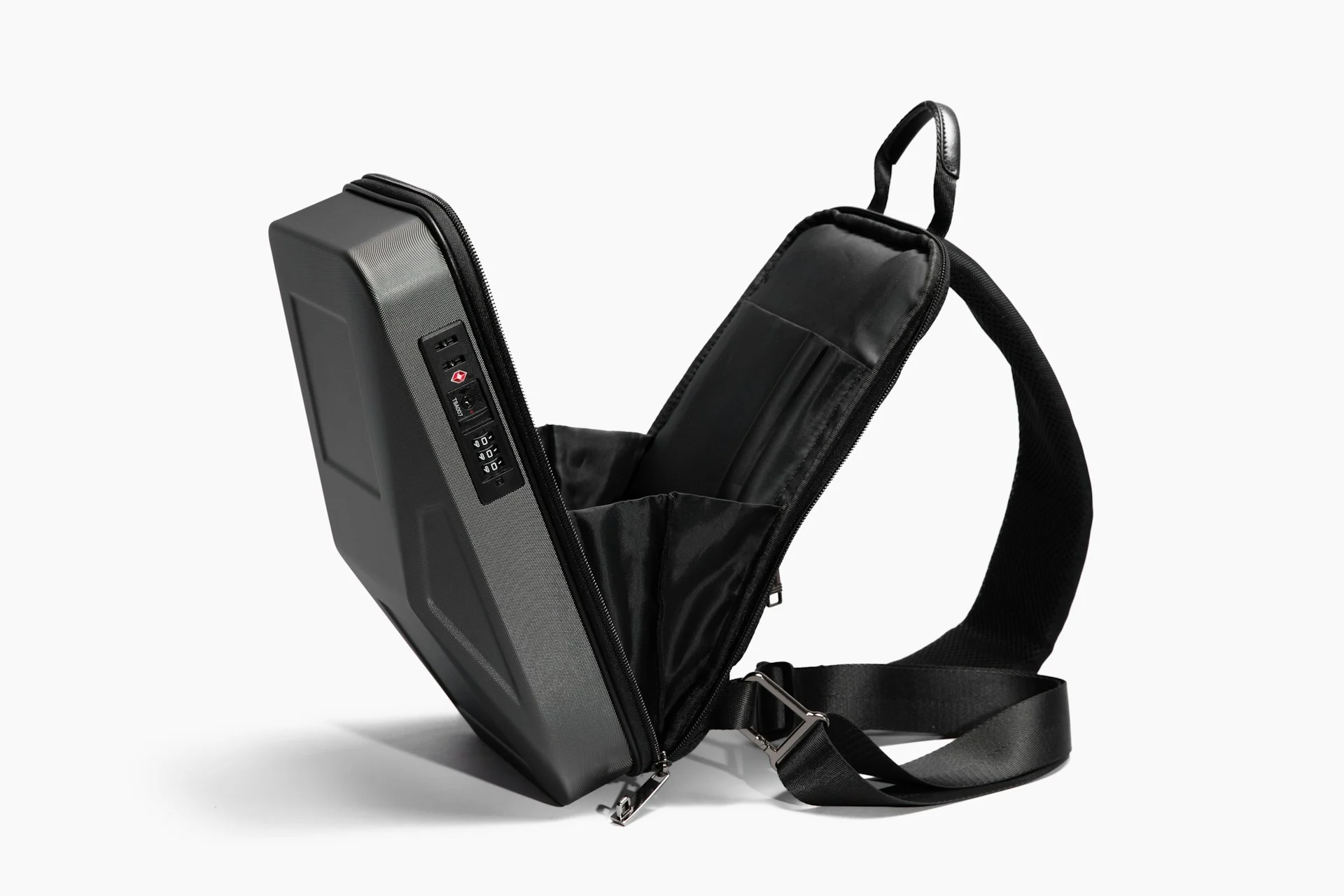
The best backpack charging hack takes about two seconds: pack every gadget so its USB-C port faces the opening or the zip. Then, when your phone or earbuds hit 5%, you plug in a cable without pulling the whole bag apart.
The idea did well on Reddit’s LifeProTips board, where user u/ih82luz posted it on 22 October 2026. It’s simple and it works. It also has a catch: charging inside a packed bag traps heat, and some airlines ban it. Here’s how to get the speed without the risk.
Key takeaways
- Store each device port-side up or port-side toward the zip, so a cable can reach it while the device stays put.
- Pair it with a power bank in an easy-to-reach pocket, or use a bag with a built-in USB pass-through.
- Heat is the trade-off. Apple says iPhones are built for 0–35°C (32–95°F), and charging slows or stops when they get too warm.
- On planes, power banks go in your carry-on, never in checked bags. Southwest also requires a power bank in use to be out of the bag and in sight.
How does the backpack charging hack work?
Think of your bag like a car park. If every car is parked nose-in, getting one out means a three-point turn. If they all face the exit, you just drive off.
Do the same with your electronics. When you pack, slide each device in so its charging port sits at the top edge or faces the zip. Your phone, earbuds case, e-reader and handheld console can all stay snug in their sleeves while you plug in a cable.
- Pick a charging pocket. Choose one zip pocket for your power bank (a portable battery that charges other devices) and keep a short cable plugged into it.
- Face ports toward that pocket. Keep the cable run short so it doesn’t tangle with everything else.
- Leave a gap in the zip. Stop the zip a couple of centimetres from the end so a cable can pass through without getting crushed.
- Label your cables. A bit of coloured tape on each end tells you which one is USB-C to USB-C and which is for that last old Lightning device.
Do backpacks with USB ports do this for you?
Partly. As BGR explains, a “charging backpack” usually has a small inside pocket with a cable that runs to a port on the outside. You put your own charged power bank inside, connect it, and plug your phone into the outside port.
Most of these bags don’t come with a battery. The port is just a tidy cable route. That makes them a nice upgrade to the port-out trick, not a replacement, because your other gadgets still need to face the right way.
| Setup | Best for | Watch out for |
|---|---|---|
| Port-out packing + power bank in a pocket | Quick top-ups for earbuds, phone, e-reader | Heat if the bag is stuffed full |
| Backpack with a USB pass-through port | Charging your phone while it’s in your hand | You still need your own power bank |
| Power bank out of the bag | Long charges, flights, laptops | Takes a bit more desk or tray space |
Is it safe to charge devices inside a bag?
For a short top-up in a loosely packed bag, it’s usually fine. For a long charge in a bag stuffed with jumpers, it’s a bad idea. Charging makes heat, and fabric holds it in.
Apple’s temperature guidance says iPhones and iPads are designed for ambient temperatures of 0–35°C (32–95°F). When a device gets too hot, charging, including wireless charging, “slows or stops”, and you may see a “Charging On Hold” message. Apple adds that using a device in very hot conditions “can permanently shorten battery life”.
Fire-safety advice says the same thing in plainer words. Utah State University Extension warns against charging under pillows or blankets because the heat can’t escape. A packed backpack is a similar space.
Three rules make the hack safer:
- Give it air. Charge in an outer pocket, not wedged under a laptop and a coat.
- Feel it now and then. Warm is normal. Hot to the touch means unplug it and take it out.
- Skip damaged gear. A swollen power bank or a frayed cable belongs in a battery recycling bin, not your bag.
Can you charge from your bag on a plane?
Not always. The basic US rules, which the FAA sets, say spare lithium batteries, including power banks, must travel in carry-on bags, not checked luggage. Banks up to 100 watt-hours (Wh, a measure of battery capacity printed on the label) are generally allowed. Banks from 101 to 160 Wh need airline approval, and anything bigger is banned.
Airlines can add their own rules on top. Southwest made the biggest change, as NPR reported: from 28 May 2025, a power bank used during a flight “must be out of any baggage and remain in plain sight”. The airline said this lets crew act faster if a battery overheats. On that airline, the in-bag version of this hack isn’t allowed.
My take: on a plane, pack port-out so you can grab things quickly, but do the charging on the tray table. It’s easier on the crew and on your battery.
What happens next
USB-C is now the standard for most new phones, earbuds and laptops, especially in the EU. That makes this hack easier every year, because one cable type reaches almost everything in your bag.
Airline battery rules are going the other way and getting stricter. Before any trip, check your airline’s current power bank page. It takes one minute and saves you an awkward chat at the gate.
FAQ
Does storing devices port-up let dust into the port?
It can let in lint and crumbs. Keep devices in sleeves or a clean pocket, and if a cable stops clicking in properly, check the port with a torch before you blame the cable.
Is charging a phone in a backpack bad for the battery?
Short charges in a bag with some airflow are fine. Long charges in a hot, packed bag aren’t. Apple says heat slows or stops charging and can permanently shorten battery life.
Do I need a backpack with a USB port for this hack?
No. Any bag works if you face the ports toward one pocket and keep a power bank there. A built-in USB port just routes the cable more neatly.
Repack your bag tonight with every port facing the same pocket, and the next time a battery dies you’ll be plugged in within seconds. For more small fixes like this, try our flat-pack furniture cardboard trick or the three-bin raised working surface hack.
1 comment